
Connect and sell
Connect with WebDAV
Browse and download your files in Finder, Windows or any WebDAV app. The connection is read-only.
- Paid plans
- Read-only
- One password per device
Create an app password
- In your workspace, open Account → Security.
- Under WebDAV app passwords, select Create app password.
- Name it after the device, then copy the password. It’s shown only once.
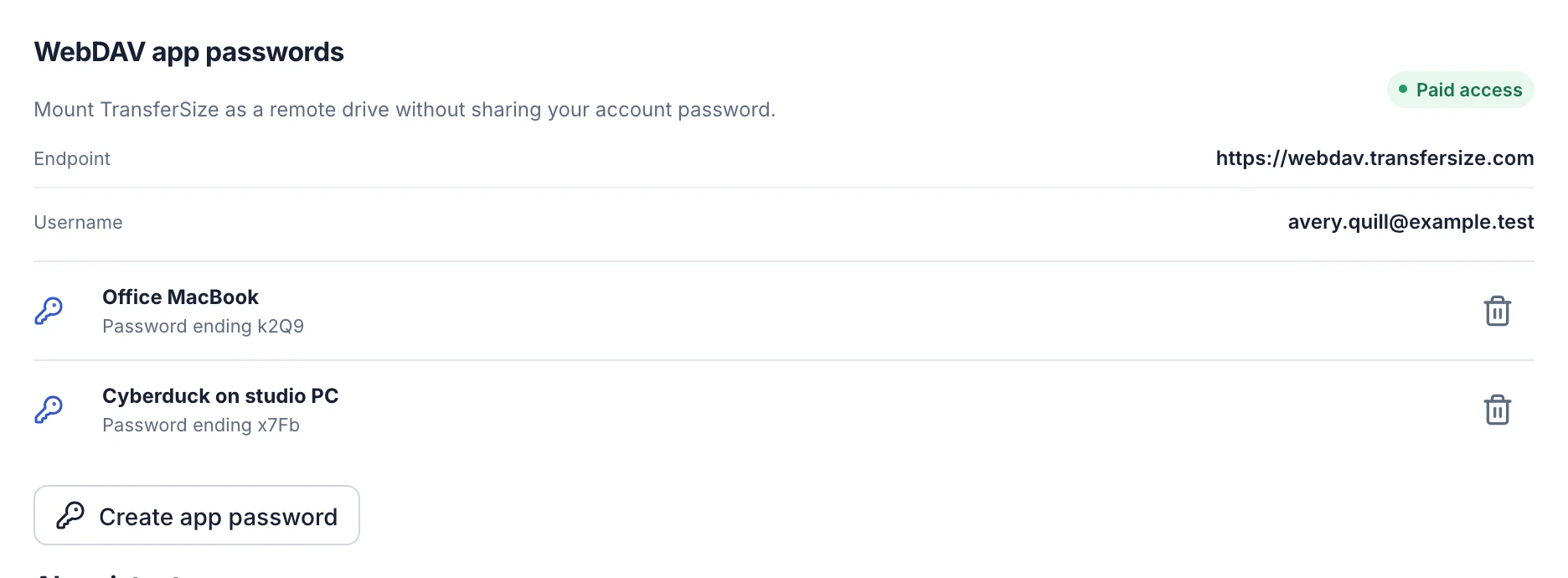
Connection details
| Setting | Value |
|---|---|
| Server | https://webdav.transfersize.com |
| Username | Your TransferSize email address |
| Password | The app password you created |
Connect your app
macOS Finder
In Finder, choose Go → Connect to Server, enter the server address and select Connect.
Windows
In File Explorer, right-click This PC → Add a network location, and enter the server address.
Cyberduck
Select Open Connection, choose WebDAV (HTTPS) and enter webdav.transfersize.com.
rclone
Run rclone config, choose webdav, and enter the server address with vendor other.
Troubleshooting
Where are my transfers?
Next to your folders, under their transfer names. A single-file transfer appears as that file.
Uploads or renames fail
WebDAV is read-only. Manage files in your workspace.
Sign-in fails
Use your email as the username and an app password, not your account password.
Updated October 9, 2026