
Send
Send a large file
Send files up to 50 GB for free. Neither you nor your recipient needs an account.
- About 5 minutes
- Up to 50 GB free
- Links last 7 days on Free
Steps
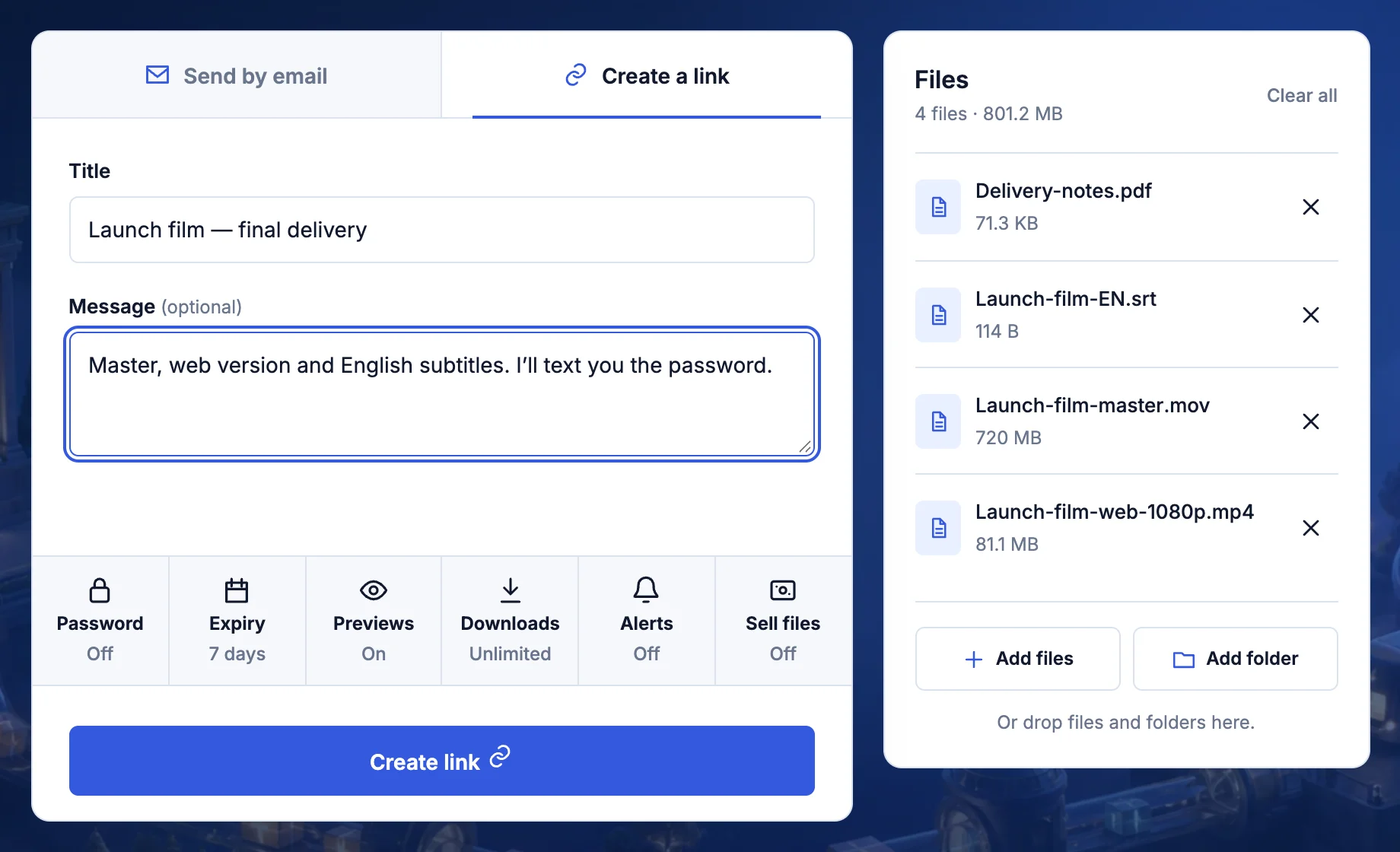
- Go to transfersize.com and select Choose files.
- Choose Create a link or Send by email.
- Add a title and a message (optional).
- Set a Password, Expiry or download limit (optional).
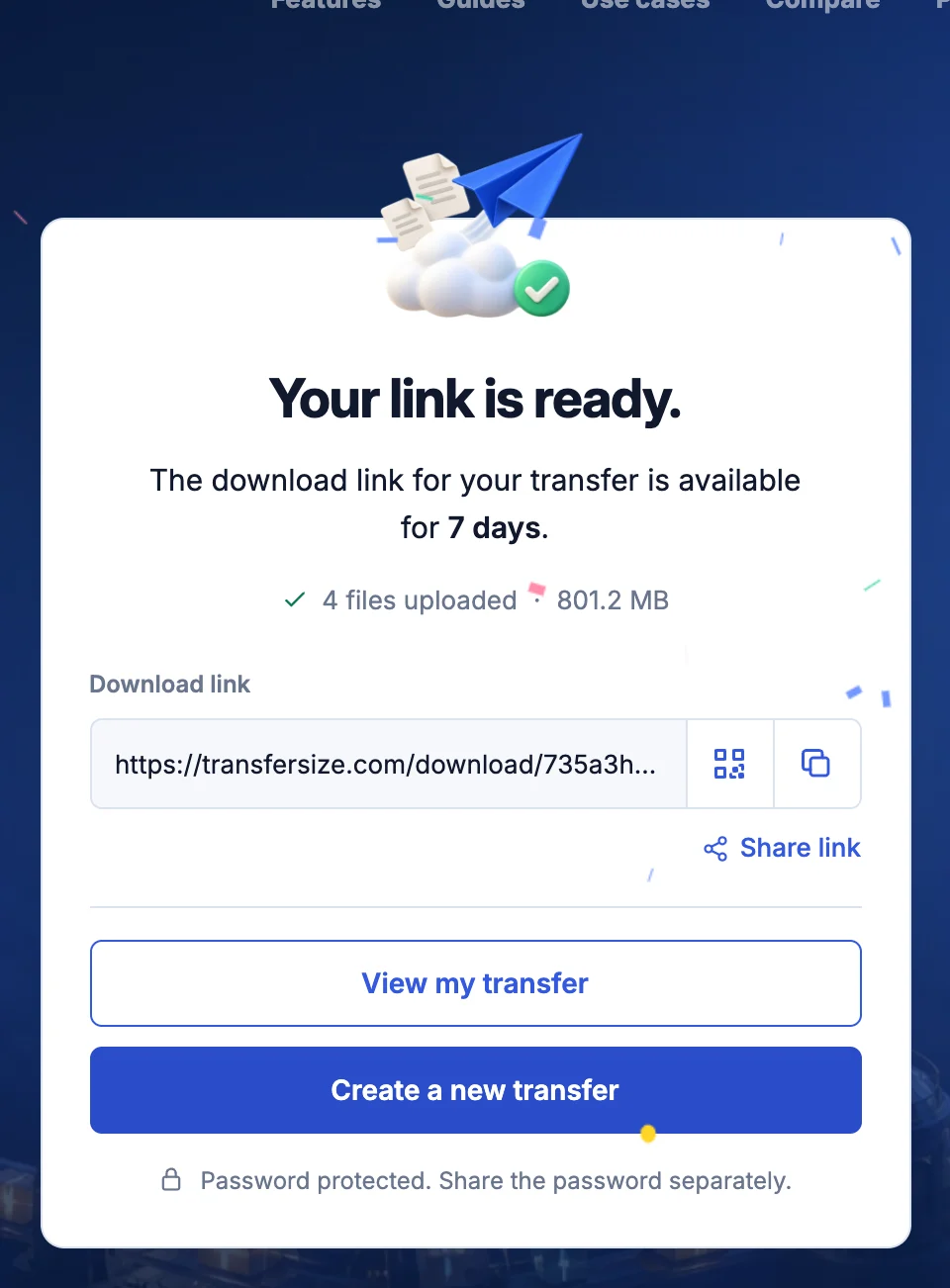
- Select Create link and keep the tab open.
- Copy the link when you see Your link is ready.
Troubleshooting
The upload is slow
Upload time depends on your upload speed, which is usually far lower than your download speed. Estimate the time.
My connection dropped
Keep the tab open. The upload continues when you’re back online. What to do.
My file is larger than 50 GB
Premium and Family allow 500 GB per file. See plans.
Updated September 26, 2026