Skip to content
TransferSize

Guide

Sell a digital download

Made a useful file that people want to buy? An eligible paid transfer lets you set a price, share the offer, and unlock the download after payment is confirmed. Think finished photo packs, templates, or your own digital work—with a clear description of what the buyer receives.

5 steps · Signed-in TransferSize account · Updated 2026-09-10

Where to startChoose files → Continue → Sell files → Create link
A digital package passing to its buyer after checkout is confirmed.

At a glance

A designer’s template pack

From offer to download
  1. Describe the offerFiles, app versions, license and support.
  2. Buyer checks outThey see the price before paying.
  3. Payment confirmedThe files become available.

You package your own presentation templates with a readme and a usage license. The transfer explains the file formats and software version, shows the price, and gives the buyer a way to contact you. After confirmed payment, the buyer gets access to the promised files.

Steps

Follow these steps

  1. 01

    Prepare the files

    Include only what the buyer should receive, plus a readme or license when needed.

  2. 02

    Sign in and choose the files

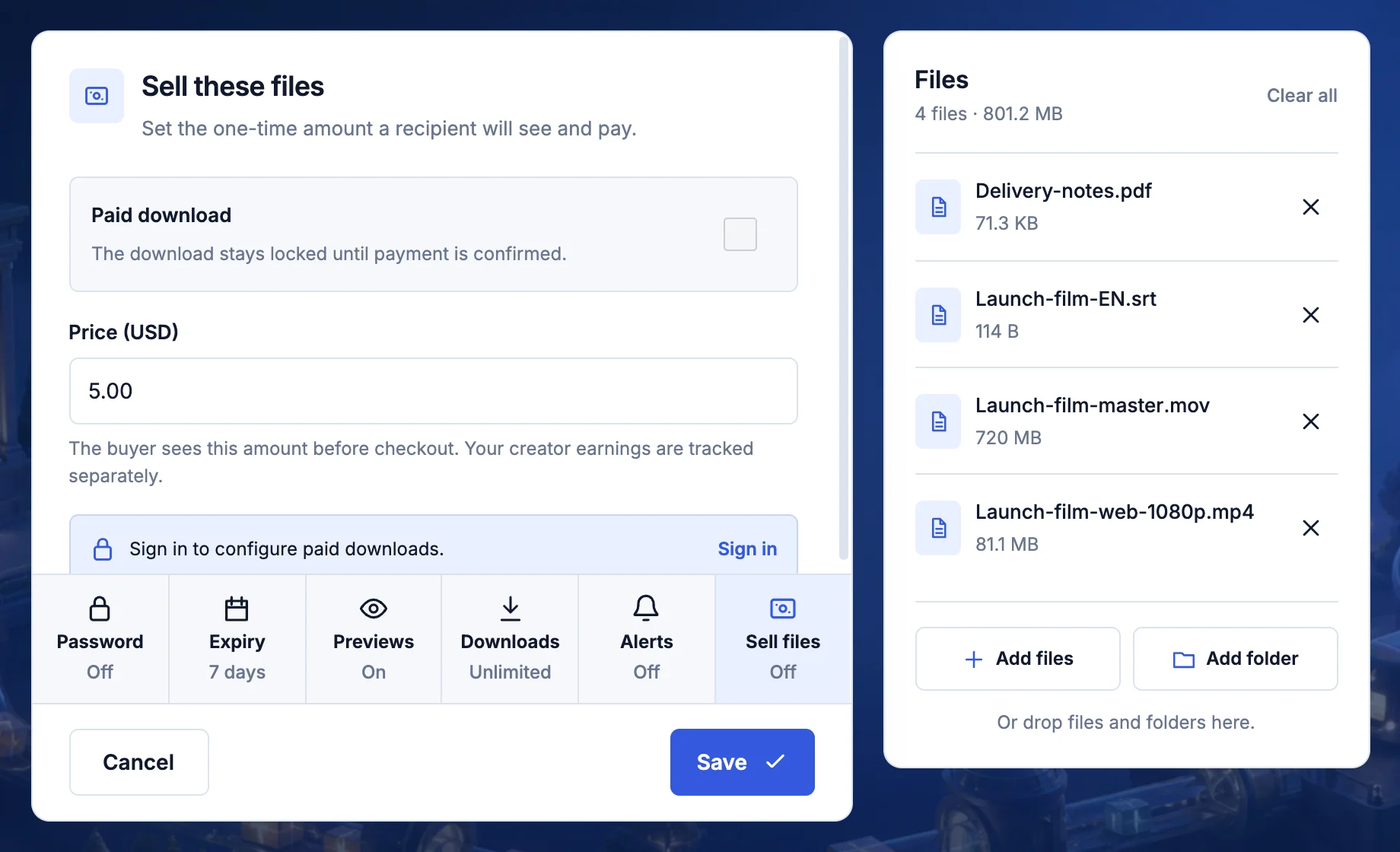
    Paid downloads are managed from your account.

  3. 03

    Set the price

    Enter the amount in US dollars and make sure it matches the offer you showed the buyer.

  4. 04

    Check the buyer's page

    Open the transfer page and make sure the title, files, price, and terms are clear.

  5. 05

    Share the link

    The download unlocks after the supported payment is confirmed.

What the buyer sees

The buyer opens the link, checks the files and price, and pays. The download unlocks after the payment is confirmed.

Keep this in mind

Know what happens next

Make the product clear before you price it

A buyer should not have to guess what is inside an archive. List the number of files, formats, required software, license, and whether future updates are included. Remove drafts and private working material. Test the package on a clean folder or device so you catch missing fonts and linked assets.

Check selling eligibility and current terms

Sign in and review the selling controls available to your account. The current price, payment methods, fees, payout requirements, and account eligibility belong to the signed-in offer and checkout. Do not promise a payout schedule or a payment method just because another file-sharing service offers it.

Payment confirmation is the unlock

The buyer is shown the price before checkout. Access is granted after the supported payment is confirmed; opening checkout or starting a payment is not enough. If a buyer reports paying without access, check the recorded payment state before telling them to pay again.

Use previews thoughtfully

A preview can help explain what is being sold, but it should not accidentally give away something you intended to keep behind payment. Review the public buyer page before sharing. A preview is not a substitute for a clear product description and a truthful sample.

A download sale is different from a subscription

A paid transfer fits one defined delivery. A creator subscription is an ongoing relationship with its own price and benefits. Say which one you are offering. If you promise updates, support, or a recurring release schedule, explain how the customer will receive them.

Explain help and refunds before a problem happens

Give buyers a support route and clear refund information for the offer. Keep records of the product version and the promise made at purchase. Sell only work you can distribute; the delivery tool does not grant rights in someone else’s material.

Questions

Questions people ask

What price can I set?

Enter an amount in US dollars within the limit shown on the page.

How does the buyer pay?

They see the price and available payment methods before they confirm checkout.

Where are payout terms?

Check the current terms in your signed-in workspace before publishing.

Your next step

Package the finished files first, then check the selling options for your account.

Prepare a paid transfer