
Sell and more
Paid downloads
Put a price on any transfer and share the link. Buyers see what they’re getting, pay, and download. Your link is the shop.
- Any signed-in account
- Prices from $1
- Unlocks after payment
What paid downloads are
Selling a preset pack, a sample library or a short film usually means setting up a store, a payment provider and a way to deliver the files. Paid downloads fold all of that into the link you’d send anyway.
Upload as normal, switch on Paid download and set a price. Anyone who opens the link sees the file names and the price. Once their payment is confirmed, the files unlock for them.
Your price
Anything from $1 to $100,000, in US dollars.
Locked until paid
No previews or downloads until payment is confirmed.
Access period
Buyers can download again for as many days as you choose.
Secure checkout
Payment happens on a checkout page, not on your link.
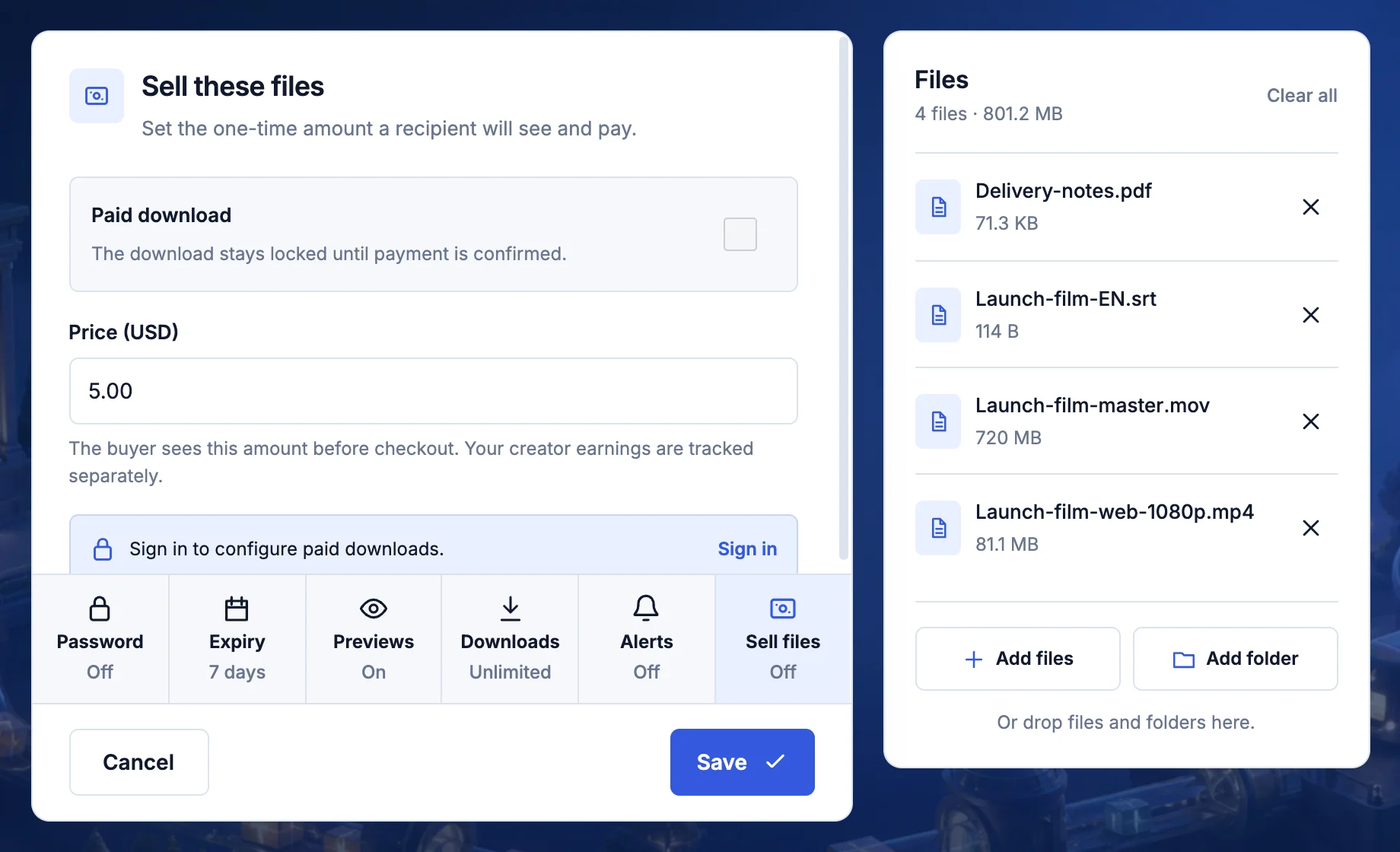
How a sale works
- You set it up. Sign in, add your files, select Sell files, turn on Paid download, and enter the Price (USD) and Access period (days).
- You share the link. Once the upload is verified, the ready screen confirms Paid access enabled with your price.
- The buyer opens it. They see the file list and a Pay button with your price. Previews and single-file downloads stay hidden.
- They pay. They sign in to TransferSize and go through a secure checkout.
- The files unlock. As soon as payment is confirmed, they can download everything, and come back again during the access period.
After you publish
Open the transfer in your workspace to change the price, switch the currency to euros or pounds, or change the access period. The same panel shows how many sales it has made.
While you’re signed in, you keep owner access to your own files, so you can check exactly what buyers get.
Getting paid
Sales are tracked as earnings in your creator profile. Once your identity is verified, you can request a withdrawal to PayPal or a bank account from there.
What people sell
- Photo and video presets. Lightroom presets, LUTs and editing templates.
- Music and sound. Sample packs, stems and beats.
- Films and courses. A finished short film, or a course delivered as video files.
- Design assets. Mockups, icon sets and print-ready files.
What it doesn’t do
- Show a list of buyers. You see how many sales a transfer made, not who bought it.
- Sell from My Files. Paid downloads work on transfers you upload, not on stored files.
- Protect files after download. Once a buyer has a file, it’s theirs to keep.
Which plans have it
- Every signed-in account, including Free. No paid plan needed.
- The transfer’s expiry still applies: up to 7 days of sales per upload on Free, up to 1 year on Premium and Family.
- Files up to 50 GB on Free and 500 GB on Premium and Family.
Questions
A buyer paid but the files are still locked
Payments can take a moment to confirm. Ask them to refresh the page before paying again.
Do I need a creator profile?
Not to sell. You’ll set one up to see your earnings and withdraw them.
Updated September 26, 2026