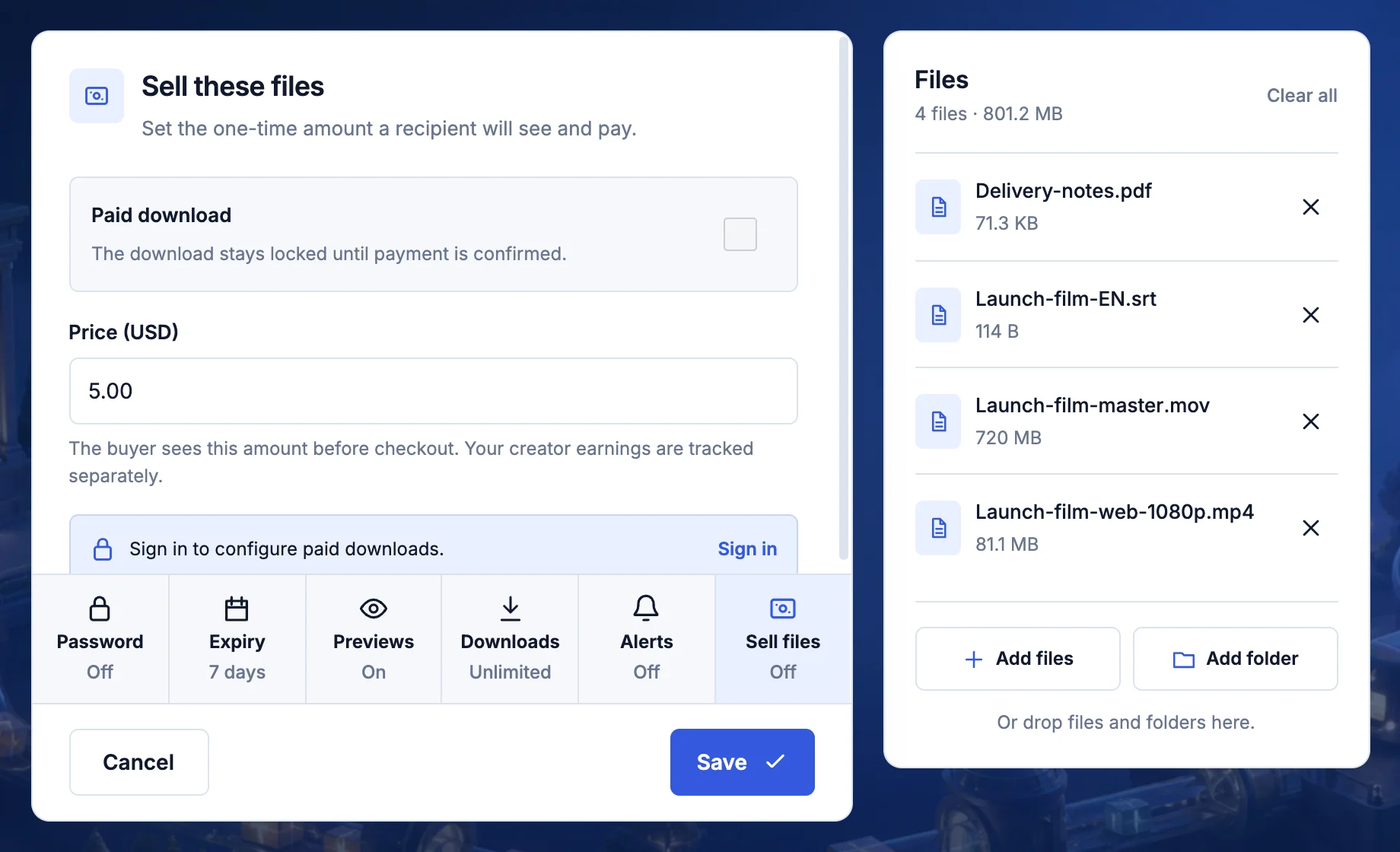
One practical example
Selling a useful presentation template
Imagine a pack containing an editable presentation, a PDF preview, example slides, and a short getting-started document. Tell the buyer which app and version they need, whether fonts are included, and whether commercial use is allowed. A buyer should know before checkout whether the pack will work for their project.
- Template.pptxThe editable presentation
- Preview.pdfA view of what is included
- Start-here.pdfApp requirements and setup
- License.pdfCommercial use and restrictions
From start to finish
A clear handoff at every stage
- 1
Prepare
Build and test the exact package, readme, license, and preview the buyer should receive.
- 2
Describe
Publish a plain explanation of formats, versions, rights, support, updates, and refund terms.
- 3
Price
Set the US-dollar amount and check the complete buyer page before sharing it.
- 4
Support
Confirm payment and access in the workspace, keep records, and help with the promise you made.
Prepare the work
Make the delivery easy to understand
Turn files into a product
A ZIP file is not a complete offer by itself. Name the product, show what is included, list formats and versions, add a readme or license, and remove working files the buyer was not promised. Test the package on a clean device before selling it.
Choose a one-time sale or ongoing membership
Use a paid transfer when the buyer receives one defined package. Use a creator subscription only when you can explain the recurring price, publishing schedule, member benefits, and what happens when a membership ends.
Make the buyer's decision easy
The title, preview, description, price, file list, usage rights, update policy, support route, and refund terms should agree. Do not hide an important limitation in a filename or assume the buyer owns specialist software.
The handoff
Tell the next person what happens next
Understand the checkout boundary
You set a normal US-dollar price within the limits shown by TransferSize. The files remain locked until supported payment is confirmed. Available payment methods, fees, payout requirements, and account eligibility can change, so check the signed-in workspace before publishing.
Run it like a real business
Sell only material you have the right to distribute. Keep source-rights evidence, product versions, license text, buyer messages, refunds, and the tax or accounting records that apply to you. TransferSize provides delivery tools, not legal ownership of the product.
Check the offer from the buyer’s side
Open the public page and compare every claim with the actual package. If you promise 20 templates, count them. If the preview includes an example photo that is not licensed for redistribution, explain that it is excluded. Give buyers a clear support route for a missing or damaged file.
- Test the archive and instructions on a clean device or account.
- State whether updates are included or sold separately.
- Check current eligibility, fees, and payout details in your workspace.
Want the technical detail?
An eligible paid transfer is a sale of the described package. A creator membership is an ongoing offer with its own terms, and a TransferSize storage plan is another separate purchase. File access controls cannot prevent a buyer from copying something they have already downloaded.
Questions people ask
Is this different from the selling guide?
Yes. This page covers the product and business workflow; the guide shows how to create and share a paid transfer.
Can I sell work made by somebody else?
Only when you have the rights needed to sell and distribute it under the license you promise.
Does a buyer get the file before payment?
No. An eligible paid download unlocks after supported payment is confirmed.
Where can I check fees and payout requirements?
Review the current information in your signed-in workspace before publishing an offer.
Send one file first. Add extra controls only when you need them.